Planning & building an MVP product for Go-to-market
High Alpha x Colaboratory
High Alpha (HA) is a venture capital company that provides product leadership and other needs to start-up companies to speed up scalability. HA partners with a company — usually 3–6 months — providing thought leadership and design around product.
Colaboratory is a start-up focused on creating brand collaboration opportunities for its members. Mainly based in Minneapolis — CEO, CTO, and head of customer success — with under 10 employees. On this project the team worked with all employees on a consistent basis.
My Position
Lead Product Designer
Team
Ethan Grove, Chad Hostetter, Kristin Martin & Colaboratory Team
Tools
Figma
Timeline
~3 months
The Challenge
GTM with a brand collaboration platform
Our goal for this project was to take a problem identified by the CEO and expand on his vision for a product that would disrupt the marketing industry. The premise for the product would help brands collaborate with each other by suggesting strategic collabs based on science and data, recommending plans of action to utilize each other's audiences.
- 1Collaborate with CEO and other stakeholders to solve the right problems
- 2Create a style guide and a start to a scalable component library
- 3Deliver an MVP version to be built and iterated on
Kickoff — Learning the problem, personas, and vision
Before jumping into design, the team needed to gain more insights about the problem they would be solving in the industry, the vision of a possible solution, and the audience they would be designing for. They held several meetings with Colaboratory's CEO, CTO, and Head of Customer Success to learn more about the current standing of things.
- 1
Finding the minimum needed for GTM
After learning as much as possible from the team, it was time to take that vision and figure out the most logical MVP that could go to market. This required working more closely with the CTO to figure out what was feasible within the timeframe.
Early Insights
- 1
Customer data needed to be collected over time
To fuel the CoLab report (the value prop), data from each company input within the CoLaboratory system was needed. Since an MVP approach was being taken, it was best to automate what could be automated from the start to make it look and act like software, while providing a lot of value by offering a service first.
- 2
Value for customers was still iterating as a service
The initial CoLab recommendation report that had been designed was in early conception and not yet automated. With the report likely to be iterated on very quickly, it was decided it would be manual from the start. Receiving feedback on a daily basis, it was best to keep the report as a service.
- 3
Simple to start, then time to learn and iterate
With rapid iteration of the service being provided, it was best that the design started simple and easy to implement with the selected tech stack. The top priority for the product was creating a platform to deliver the service to the customer until it was time to productize the service offering.
- 4
Setting the stage for future complexity
Even though the designs needed to be simple, they didn't have to prevent setting the stage for something more complex down the road. Finding unique and creative solutions that could evolve with the customer was just as important as delivering the product quickly to the marketing industry.
Discovery — Defining user needs and fast follows
- 1
Defining user needs and fast follows
At a minimum, users needed access to the quarterly CoLab reports created for them. To achieve this, the team needed to think through user flows to create an account, log in, and access quarterly reports delivered to them. Fast follows included notifications and other things to drive engagement.
- 2
CoLab report to eventually be productized
The main report value prop being delivered was decided to be a keynote slide deck delivered via email by the Head of CS. The insights in the slide deck were eventually to be placed in the software in due time.
- 3
Besides recommendations, what else is there?
After all the MVP tasks were finalized, it was time to think past the initial launch. Exploration included: brand profiles, discovery of new brands, user profiles, user management, and collaboration projects.
Reframing the Problem
"...how might we provide the user an MVP version of insights on strategic collaborations for their brand?"
Developing the minimum, but still delivering the best user experience with the service provided.
With discovery and exploration conducted, the team could now accurately restate the original problem. The ultimate goal was always to help customers grow by utilizing brand collaboration — but how to do that in the most efficient way possible to get to market and start learning and iterating.
This begged the question: how might we create a product that delivers the CoLab reports to customers in an intuitive way while still meeting MVP standards? This resulted in a design flow that appeared to customers on the surface to be software, but in reality was manual work being done by a CoLaboratory team member until automation was top priority.
Design Strategy
- 1
Build a solid foundation
To keep things consistent, a base for all future designs needed to be built that could evolve. A style guide was created and a lot of thought behind layout and navigation was conducted to ensure room for growth.
- 2
Design with flexibility
Knowing an overall vision can be helpful, but a large majority of the time that vision will evolve or pivot ever so slightly. That is why it was best to design the product with room for growth so when things do change, the team could adapt.
- 3
When you can't automate, iterate
When moving quickly, the team needed to be conscious of what they spent time building. Getting to market cannot be slowed down by nice-to-haves. Choosing what to automate from the start was very important.
The MVP
- 1
New member sign in flow
The business was open to anyone signing up, but there were some restrictions to fully automating the flow at first because it required an in-person meeting to gather insights about the company and close a sale. The MVP version involved a request of info that automated an email to schedule a meeting. After the closed sale, some manual work was done to create an account for the new customer.
- 2
Dashboard to view all CoLab reports & Playbooks
The insights and recommendations had been decided to be hand-delivered for beta customers until the product was ready. For the MVP, an avenue was needed for the CS team to deliver the report and a way for the customer to view it — and to see all reports that were delivered. Initially it started as just a list, but it quickly evolved to also show other resources to assist in making a decision.
- 3
Login page for existing customers
With new members having access to the software after account creation, there needed to be a login screen to access what they just purchased. Combining elements from the brand team and utilizing an existing framework, they designed a login that conveyed the right brand voice to users.
- 4
Further anticipating user needs + exploration
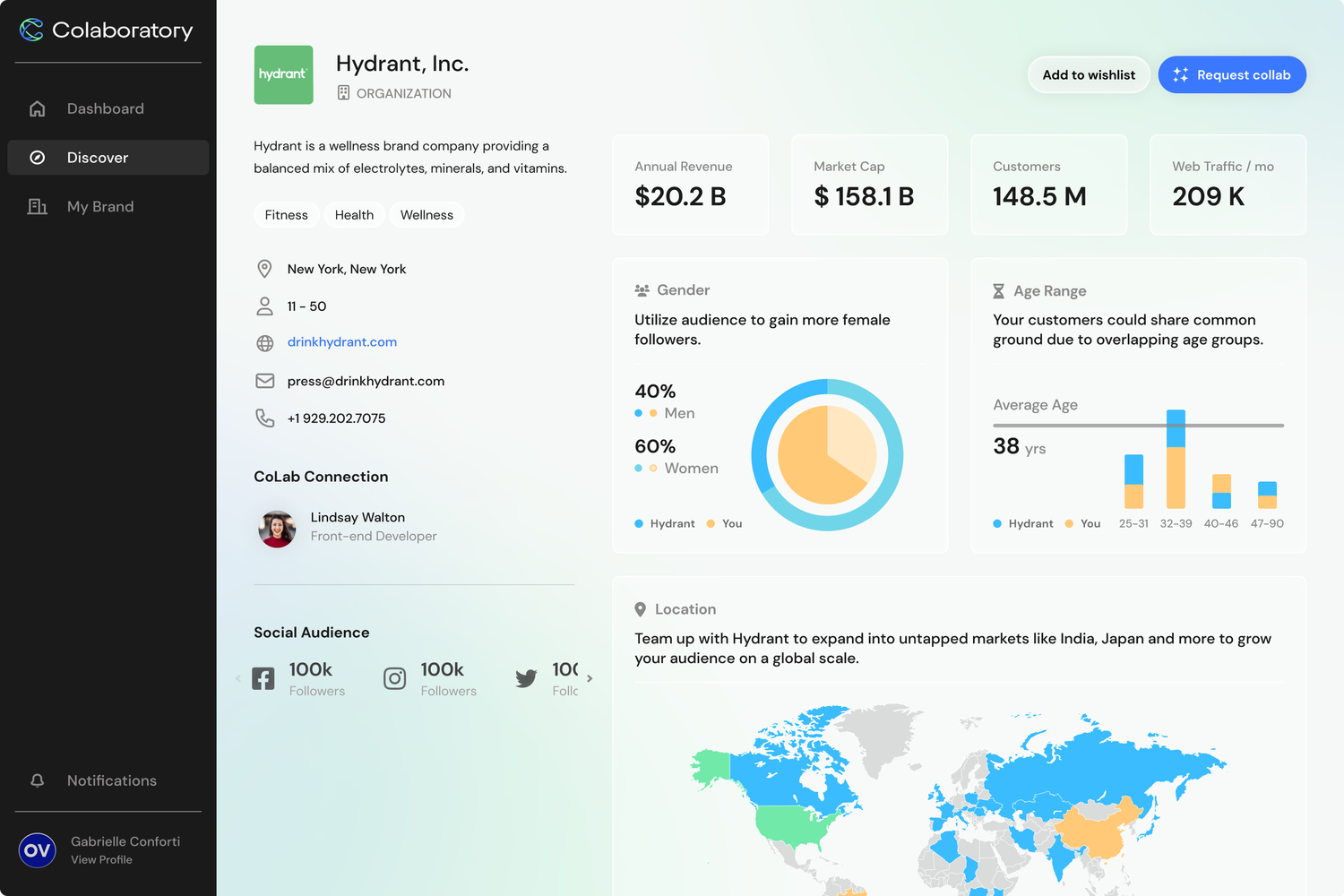
After the core parts of the MVP were discovered and completed, it was time to keep diving deeper into possible use cases to anticipate user needs. Exploration areas included: dashboard iterations, brand profiles, a discover page, ways to ease collaborating, managing collaborations, and other areas.
The Launch
This engagement wrapped as designed: the MVP scope — sign-up flow, reporting dashboard, and a foundational design system — was fully defined and handed off for development as the High Alpha placement concluded. From there, Colaboratory took the platform to launch, onboarding beta customers and generating new leads on top of the foundation built here.
The anticipatory exploration from discovery — dashboard iterations, brand profiles, a discover page — has continued to inform the product since, even where the specific designs shifted from what was originally proposed.